











#TabysCard — A Card for the Self-Employed
Get your self-employment income paid to a special card and earn cashback on everyday spending
Benefits of #TabysCard
Get cashback on everyday purchases in selected categories and at bcc club partners

Accept payments from clients, services, and marketplaces. The card is designed for self-employed individuals
Free transfers up to 300,000 KZT per month to cards of any bank in Kazakhstan

Link USD or EUR accounts and exchange currency online at competitive rates

Withdraw up to 1,500,000 KZT commission-free at ATMs worldwide

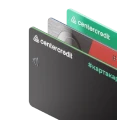
#TabysCard is issued only in digital form and has no plastic version.
Connect contactless payments to Apple Pay, Samsung Pay, Google Pay, and Garmin Pay to pay for purchases with your smartphone
Funds credited to #TabysCard are considered your income from self-employment. This allows you to:
receive payments from clients
separate personal funds from self-employment income
operate transparently and in compliance with the law
Earn cashback in KZT every month




#TabysCard Terms and Conditions
| Card class | Visa Gold |
| Card type | digital |
| Currency | KZT (main account), USD, EUR (upon connection) |
| Card issue | 0₸ for a RoK resident |
| Monthly service | Free |
| Cashback | up to 10% in favorite categories up to 20% with bcc club partners |
| Cashback limit per month | 10,000 ₸ 20 000 ₸ #cardcard is if available |
| Card reissue | 0 ₸ – upon expiration 1,000 ₸ – at the client's request |
| Cash withdrawal at worldwide ATMs | up to 1,500,000 ₸ per month – free over 1,500,000 ₸ per month – 1% min 250 ₸ up to 5,000 ₸ (one-time transactions) – 100 ₸ |
| Transfers to a card of any bank of the RoK in bcc.kz | up to 300,000 ₸ per month – free over 300,000 ₸ per month – 1% min 250 ₸ |
| Transfers to a foreign card in bcc.kz | 0,5% + 500 ₸ |
| SMS notifications | Free |

FAQ
Self-employed persons are people who run their own business and officially pay social contributions and mandatory payments.
A customer can choose a special tax regime for self-employed persons and work legally without registering as an individual entrepreneur (IE) and without complicated reporting.
Self-employed persons can be Kazakhstani citizen who meet the following conditions:
- perform activities included in the CCEA list for self-employed persons
- work without registering as an IE and without hiring employees
- earn income of up to 300 MCI per month
Self-employed persons pay the following contributions from their income: mandatory pension contributions (MPC) –1%, mandatory employer pension contributions (MEPC) –1%, social contributions (SC) - 1%, compulsory health insurance contributions (CHIC) - 1%.
The card is opened in the primary currency, KZT, and only this account will be considered the special account for self- employed persons.
1.Register or log in to the bcc.kz app.
2.Tap “New account or product.”
3.Select #TabysCard from the list and tap “Apply for a card.”
You can register as a self-employed person in eSalyq Business, a free mobile app. It can be downloaded from the App Store, Google Play, and App Gallery.
- Download eSalyq Business from the App Store or Google Play.
- Open the app and select a language.
- Enter your IIN and tap “Log in via eGov Mobile”.
- Confirm the login in eGov Mobile.
- Select “Continue as SEP (self-employed person).”
- Select your types of activity and tap “Add.”
Important: the self-employed status appears only after issuing the first receipt
- Log in to the eSalyq Business app.
- On the homepage, open the “Receipts” section.
- Tap “Issue receipt.”
- Fill in the required fields and tap “Issue receipt for the amount.”
- To issue the next receipt, tap “Return”.




By clicking the “Confirm and Accept” button, you agree to the use of cookies in accordance with our Privacy Policy.